
Never re-type tabular data cell-by-cell again! Now you can use Snip to convert tables in PDFs or images into Microsoft Excel, Google Sheets, Numbers, or any other spreadsheet software.
Using the TSV format
Snip (which can be downloaded here) now returns a TSV format whenever a Snip contains a table.
TSV stands for Tab Separated Values, and it is a format that can be copied to your clipboard and then pasted directly into a spreadsheet.
In order to use the TSV format, click this button:
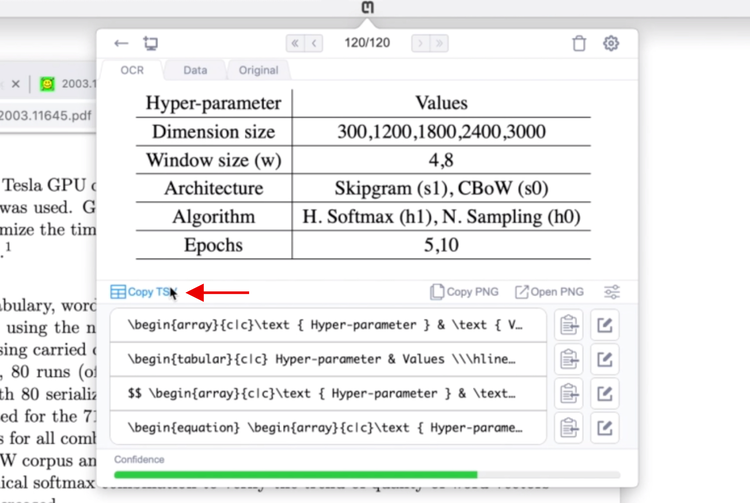
PDF to Excel
Here is an example of extracting a table from a PDF, and then pasting the TSV result into an Excel spreadsheet:
Compatibility
You can paste TSV into:
- Microsoft Excel
- Google Sheets
- Numbers
- any other spreadsheet software
Check out a full-length demo using Excel, Google Sheets, and Numbers on our Youtube channel.
Try it!
You can try out this new table feature with your app on some convenient examples in our Snip User Guide.
Feedback
We are continuing to improve this feature and always appreciate your feedback! Email us anytime at support@mathpix.com or tweet at us @MathpixApp.