Mathpix for Collaboration
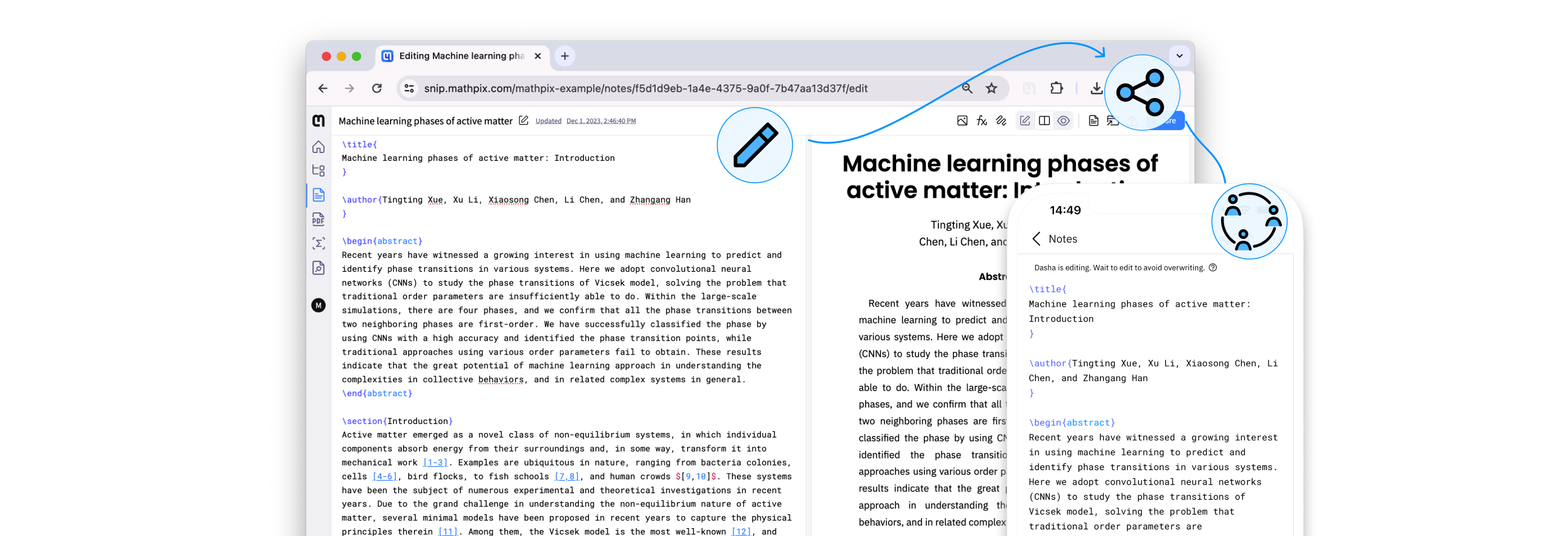
Simple and powerful solution for teams to work on math and science projects together.

Unlimited documents
Create and collaborate on an unlimited number of scientific notes—perfect for educators and students.

Easy sharing
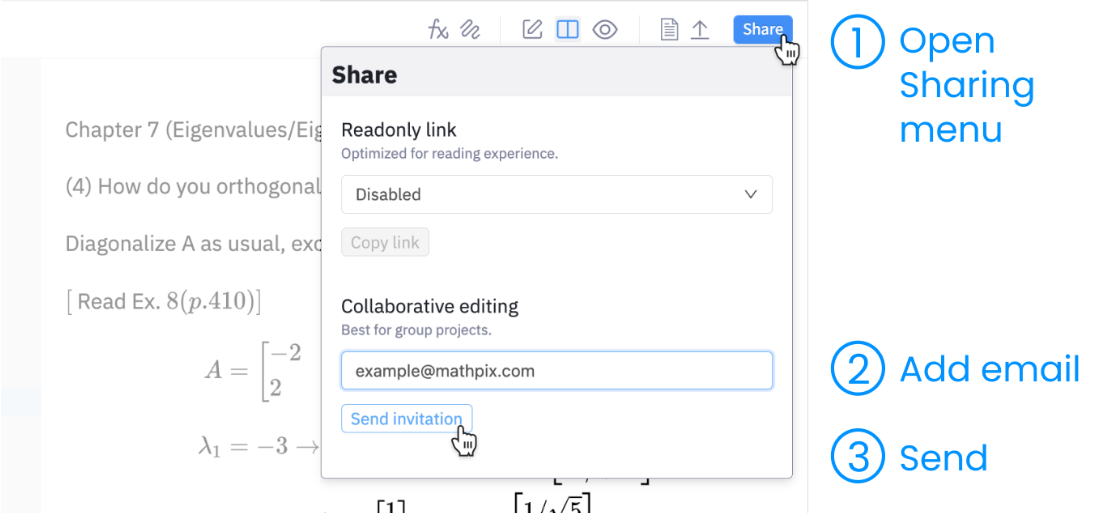
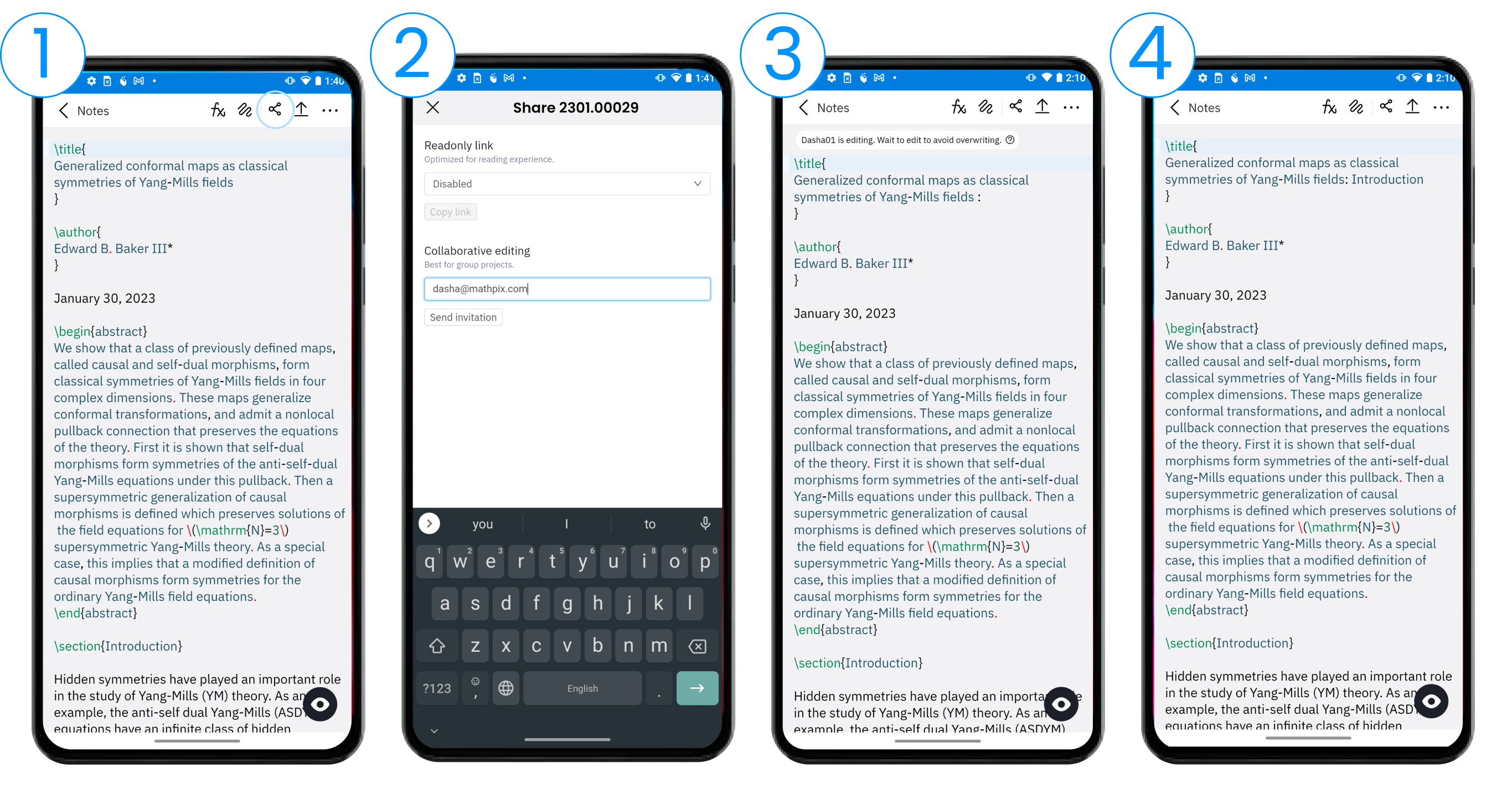
Share your math and science documents with others via email or by generating a shareable link.

Team alignment
We make sure every contributor has access to the latest version of shared content.
Editor features
Insert Snips and images
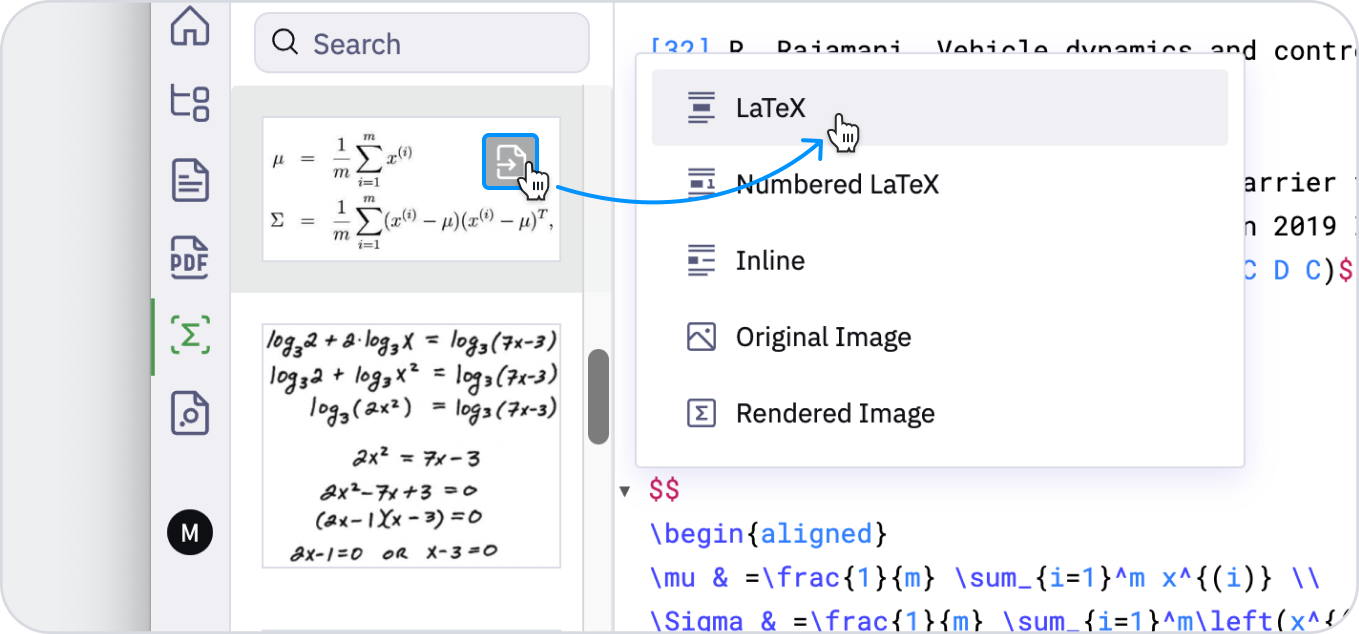
The editor allows to insert converted Snips from the sidebar to your Note. You can also drag and drop images into an editor and watch them get automatically converted to LaTeX, Markdown, TSV, and other formats.
Autocomplete
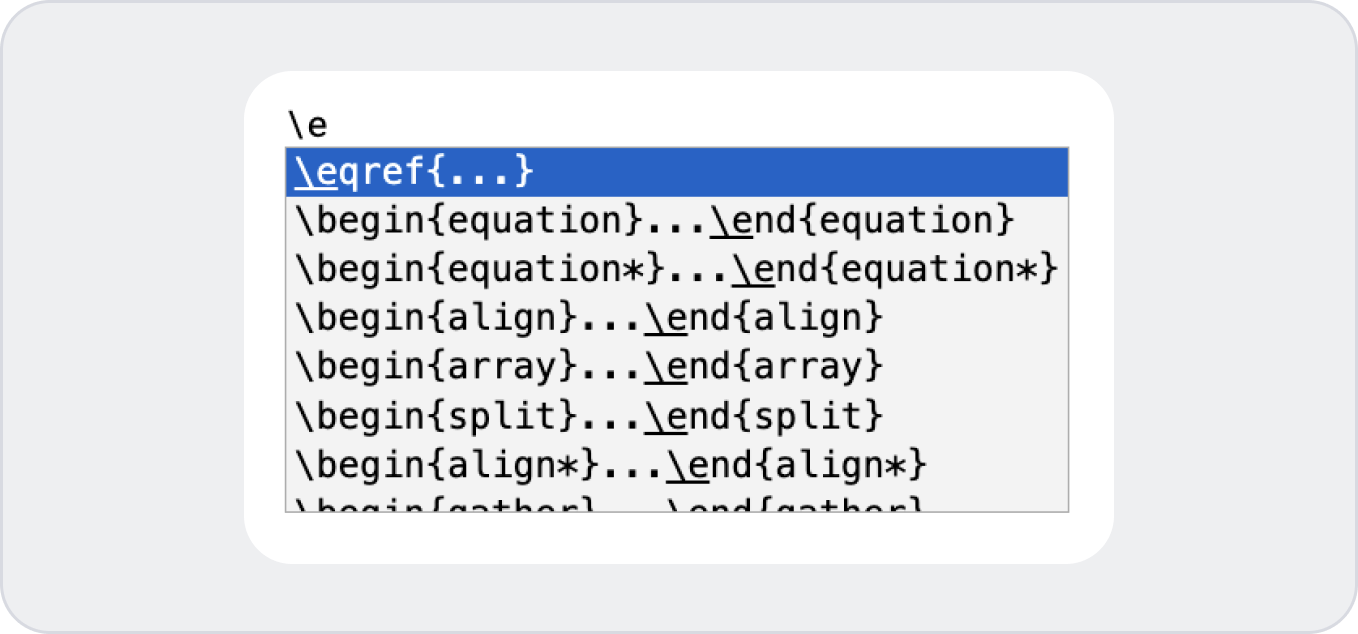
Mathpix Snip automatically suggests completions for your LaTeX expressions, helping you save time and stay focused on your work. With a few clicks, you can select the suggestion that best matches what you're looking for, and insert it into your document.
Smart Search
Distinguish between owned and shared Notes via the dropdown filter. Search through your documents using text or math as a search term.

Unlimited Export
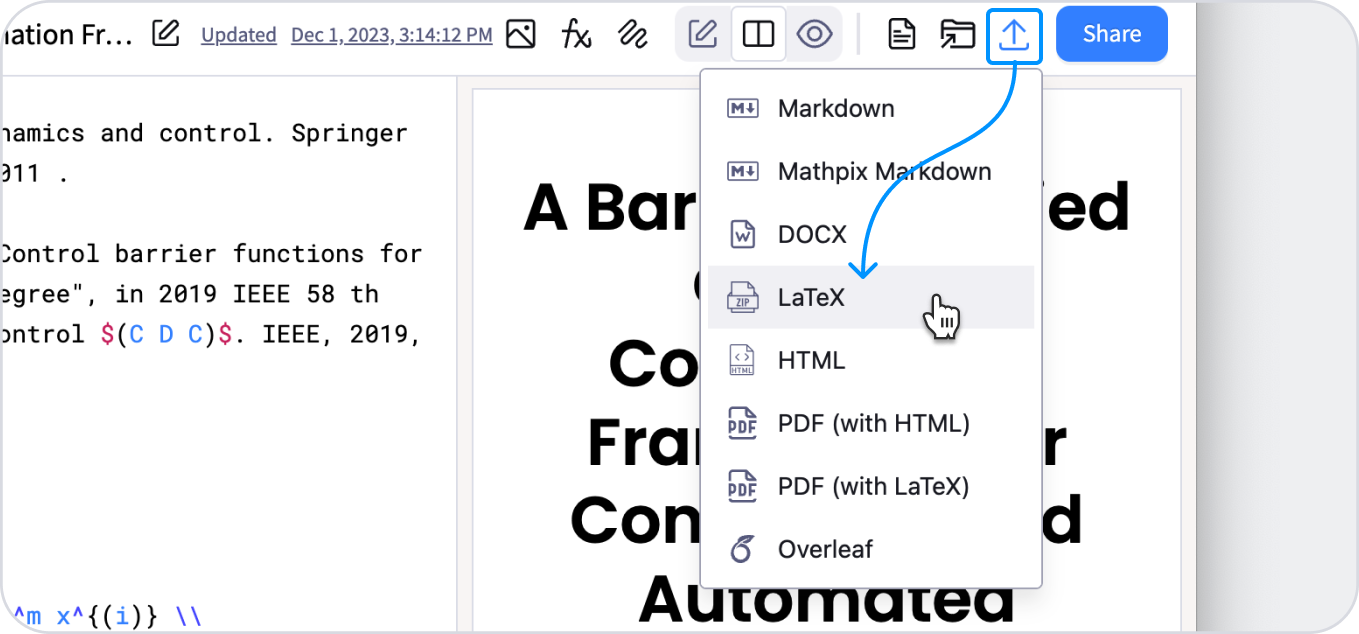
Each collaborator is able to export the Note to other formats like DOCX, LaTeX, HTML, and more anytime. Create once, convert as many times as you want.