
Billing
Introduction
In this FAQ we will answer the most common questions we get about payments and billing for OCR API organizations. Can’t find the answer to your question here? Email us anytime at support@mathpix.com and we would be happy to help you!
Accepted Payment Methods
Google Pay, Apple Pay, credit or debit card.
Pay As You Go plan requires a credit or debit card payment on file, which will be charged at the beginning of the month for the usage made in the previous month.
ACH and bank transfers, POs, and other Enterprise payment options available on request. Please contact Sales.
Mathpix OCR API Plans
Monthly Pay As You Go
- $19.99 one-time setup fee
- $29 is applied to your account for testing any of our endpoints
- Visualization Dashboard
- Pay only for what you use
- Billing on 1st of each month for the previous month’s API usage
We price differently based on which endpoints are used. Usage tiers serve as a volume discount, and reset each calendar month.
/pricing/api is the canonical, always-current price list, and has an estimator you can put your own volumes into. The tables below restate it for convenience.
-
Process image (v3/text)*
Process strokes (without live updates)(v3/strokes)
Process equation image (v3/latex)*
Process batch (v3/batch)*
Get results (v3/ocr-results)- $0.002/request (0-1M images)
- $0.0015/request (1M+ images)
Note: we reserve the right to bill images containing more than 12 rows of text at the
v3/pdf per-page rate.-
Process PDF (v3/pdf)
- $0.005/page (0-1M pages)
- $0.0035/page (1M+ pages)
-
Digital ink with live updates included (v3/strokes using stroke session ID)
- $0/session (0-1K sessions)
- $0.01/session (1K-100K sessions)
- $0.008/session (100K-1M sessions)
- $0.005/session (1M+ sessions)
-
Bulk documents (files/v1)
- $0.0015/page (0-30M pages)
- $0.001/page (30M+ pages)
The Files API is billed per page like
v3/pdf, at a lower rate, and the two share one monthly page allotment. Every output format is included — asking for DOCX and LaTeX and MMD on the same document does not multiply the cost. Rates are marginal within each calendar month.Pricing examples
Example of v3/text billing
Let’s say you have 1.5M requests of v3/text per month. The pricing for the first million requests is $0.002/request. The pricing for the next 500K requests is $0.0015/request. In total, you will have to pay:
- 1,000,000 * $0.002 = $2000
- 500,000 * $0.0015 = $750
- $2000 + $750 = $2750
Example of v3/pdf billing
Let’s say you want to convert 2M pages of v3/pdf per month. The pricing for the first million pages is $0.005/page. When you reach a million pages, you pay $0.0035 for every next page. In total, you will have to pay:
- 1,000,000 * $0.005 = $5000
- 1,000,000 * $0.0035 = $3500
- $5000 + $3500 = $8500
Example of v3/strokes billing
Let’s say you need 2,000,000 sessions of v3/strokes per month. The first thousand sessions is free. The pricing for the next 99K sessions is $0.01/session. The pricing for 100K-1M sessions is $0.008/session, and sessions after one million are $0.005. In total, you will have to pay:
- 1000 * $0 = $0
- 99,000 * $0.01 = $990
- 900,000 * $0.008 = $7200
- 1,000,000 * $0.005 = $5000
- $0 + $990 + $7200 + $5000 = $13190
Example of mixed billing
Let’s say you have 3M requests of v3/text, 800K pages of v3/pdf, and 500K sessions of v3/strokes per month. In total, you will have to pay:
- 1,000,000 * $0.002 = $2000
- 2,000,000 * $0.0015 = $3000
- $2000 + $3000 = $5000 for 3M requests of v3/text
- 800,000 * $0.005 = $4000 for 800K pages of v3/pdf
- 1000 * $0 = $0
- 99,000 * $0.01 = $990
- 400,000 * $0.008 = $3200
- $0 + $990 + $3200 = $4190 for 500K sessions of v3/strokes.
Total amount: $5000 + $4000 + $4190 = $13190.
Enterprise
- Best for large customers
- Pay by invoice
- 24/7 support
- Custom API features
- Discounts for monthly subscriptions
- Discounts for special use cases
Yearly License On-Prem
- Fully contained AMI
- Unlimited usage
- No access to outside internet needed
- Maintenance included
- Software improvements included
- GCP or Azure available upon request
- Docker image available upon request
Reading the Billing tab
The Billing tab of your organization on console.mathpix.com shows, above the invoice table:
- Current plan and Next billing date — when the next charge will be raised.
- Current expected usage — what this month has cost so far, estimated from the tables above. It is not an invoice, and it moves as you cross volume tiers.
- Credit balance — credits on your account, including the initial testing credit. Credits are applied to future invoices, reducing the invoice total by the credit balance.
- Payment method and Billing email — both editable from this tab.
Updating billing information
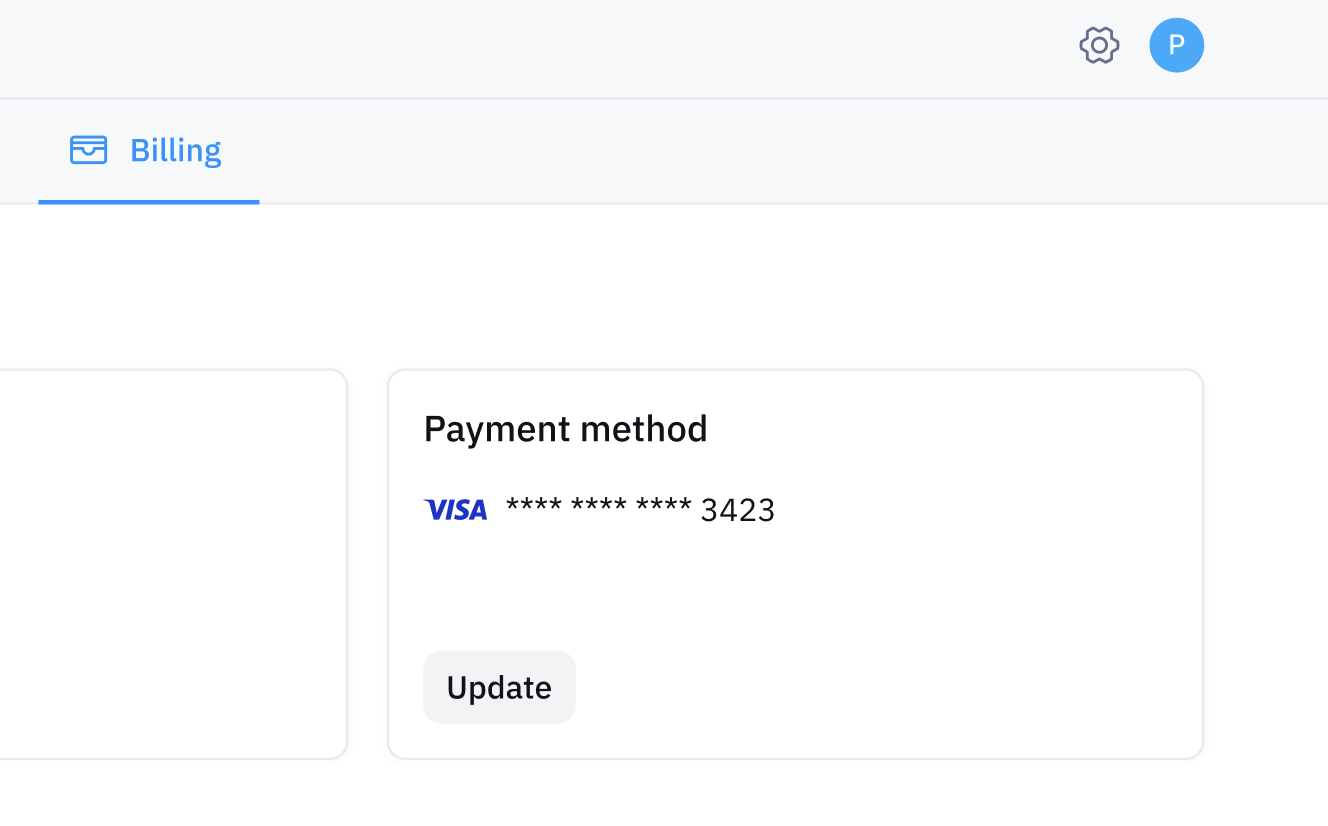
You can update your billing information by going to console.mathpix.com > Your OCR API Organization > Billing. Then find the Payment method section and click the Update button to enter your new credit card details.
The Billing email is where invoices and payment notices go. It is separate from your login address and from usage-alert recipients — change it when the person who pays the bill is not the person who built the integration.
Invoicing
You can find and download all of your invoices by going to console.mathpix.com > Your OCR API Organization > Billing.
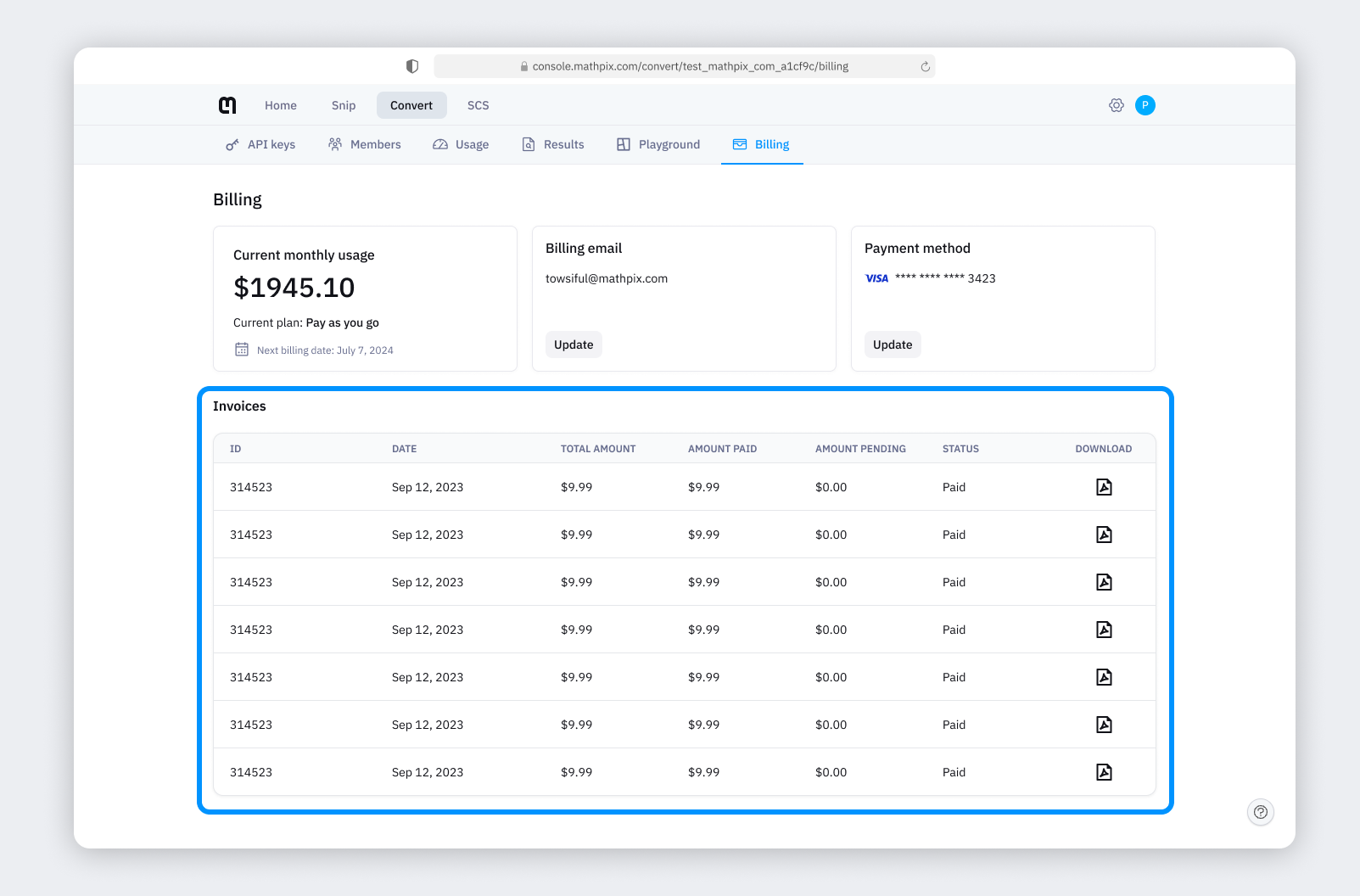
Each row shows the date, total amount, amount paid, amount pending, and status. An invoice that still has an outstanding balance has a Pay button on its row, so you can settle it directly from Console.
Unpaid invoices and suspension
If invoices go unpaid, Console shows a warning banner with the total outstanding and asks you to pay before the next billing date.
If they remain unpaid, API access is suspended across every organization under the account, not just the one with the open invoice. Requests fail until access is restored.
To restore access: pay the open invoices from the Billing tab, then click Request reactivation on the banner and submit the form. Adding the payment date or invoice numbers in the notes field lets support verify and reactivate faster. The request shows as In progress while it is being reviewed, and you get an email when it completes.
Usage monitoring and alerts
The Usage tab charts per-key traffic and estimated spend over time, exports it to CSV, and lets admins configure email alerts when a key spikes or exceeds a daily spend threshold. See Usage and results for the full guide, including how each alert threshold is computed.
FAQ
What is the OCR billing cycle for Pay as you Go users?
We charge on the 1st of the month for usage done in the previous month.
I would like to try Mathpix OCR API before buying. Can I have a free trial?
We don’t give a free trial for Mathpix OCR API. But you can create an account for a $19.99 one-time non-refundable setup fee and you’ll get $29 applied to your account for testing any of our endpoints.
I am worried that if I make a mistake and send off tons of requests, I could accidentally end up paying a lot of money. Is there a mechanism in place where the system would reject my requests instead of charging me?
Yes. The Usage tab on console.mathpix.com lets you configure two kinds of per-key email alerts as a proactive guardrail — see Usage alerts for details:
- A spike alert emails you when a key’s hourly request count jumps above its 4-week baseline by a multiplier you set.
- A daily burn-rate alert emails you when a key’s rolling 24-hour estimated spend exceeds a dollar threshold you set.
Alerts warn, they do not block. If you’d also like a hard cap on request throughput, we can offer a lower per-minute rate limit, which would reject requests above that rate instead of processing them. Email support@mathpix.com to request a rate limit reduction.
How do I raise my limits?
Rate limit, page limit, and API key limit increases are self-service: open the Requests tab on Console and click Make a request. See Requesting an increase.
I need to process a huge amount of images. How can I increase my monthly image limit?
There is no monthly image limit by default, so
v3/text volume is not capped. Documents are capped: the default is 20,000 pages per month per API key, shared between v3/pdf and files/v1, and it can be raised from the Requests tab. Learn more about our rate and page limits here.Which is cheaper for bulk documents, v3/pdf or the Files API?
The Files API. It is billed at a lower per-page rate than
v3/pdf and is built for jobs of up to 200,000 documents, with results written to your own S3, GCS, or Azure storage. The monthly page allotment is shared between the two endpoints. See /pricing/api for current rates and files/v1 for how it works.